Paying for Meta and Google ads with virtual cards: a guide for agencies and media buyers
A declined ad payment pauses delivery, and a paused campaign can lose the learning it spent a week's budget building. Most declines are preventable with how the cards are set up.
- Published
- Reading time
- 5 min read
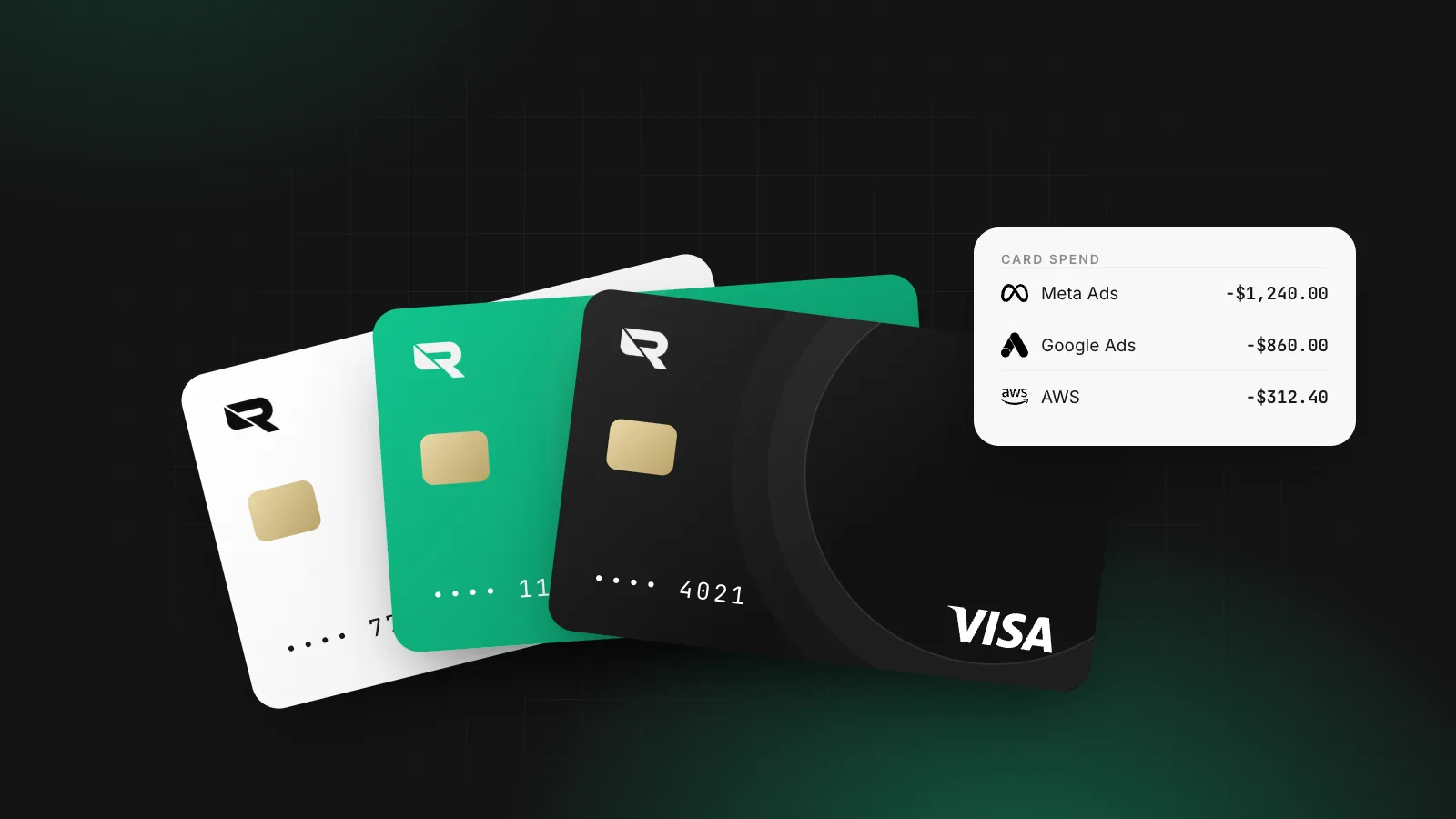
For a performance agency, a declined card is not an accounting problem. When Meta or Google can't charge the payment method, delivery stops. Restart it a day later and the campaign has often lost the optimisation it had built up. Media buyers know this, which is why "the card got declined" is one of the more expensive sentences in the business.
This guide explains how the two biggest ad platforms bill a card, why payments fail, and how to set up virtual cards so a decline is rare, contained to one account, and easy to fix.
How ad platforms charge your card
Both Meta and Google use threshold billing for card-paying advertisers:
- You run ads, and spend accrues on the account.
- When accrued spend reaches the account's payment threshold, the platform charges the card for that amount.
- Any spend left over is charged on a regular billing date, monthly on Google Ads.
Google's help centre adds two details that matter for card limits. You can be charged several times in a month if you keep hitting the threshold. And the threshold can be raised automatically when costs reach it before the end of the billing cycle, which means fewer, larger charges. A card limit that was comfortable at a $500 threshold can be too small at $2,000.
A 2026 change for high-spend Meta accounts
In late February 2026, Meta told some advertisers by email that their ad accounts would move from card payments to monthly invoicing on a credit line, with the switch due by the end of March. Meta has not published the criteria, and the reports describe it as affecting larger accounts; smaller advertisers can still pay by card. Google moved high-spending advertisers towards bank payments earlier.
Before changing your card set-up, check in Billing which payment methods your account is allowed to use. If it has moved to invoicing, the card questions below apply to your smaller accounts and your other tools, not that account.
Why ad payments get declined
In rough order of how often they are the cause:
- The limit or balance is lower than the charge. The card has a $1,000 monthly limit; the threshold is $1,500. Or it's a debit card on an account that was swept the night before.
- Billing details don't match. The name or address entered in the ad account differs from what the issuer holds.
- The card has expired or was replaced, and the ad account still holds the old number.
- The issuer blocks the charge. Bank fraud rules often flag a recurring foreign charge, a sudden jump in amount, or a merchant category they treat as risky. Ad platforms bill from entities in various countries, so a "domestic" card can see a foreign charge.
- The card type isn't accepted. Some prepaid cards and some regional card types are refused.
- The ad account itself is restricted. A payment hold or a policy restriction on the account looks like a payment failure but isn't one. Changing cards won't fix it.
A virtual card issued by your business account fixes the first four at the source: you set the limit, the billing details are your company's, it doesn't expire mid-campaign without warning, and it's issued for business spend, so routine ad charges are less likely to look unusual.
One card per ad account
The single most useful change most teams can make is to stop sharing one card across everything.
One virtual card per ad account (or per client, for agencies) means:
- A decline stays contained. If one account's card hits its limit, the other accounts keep running.
- Limits match budgets. Each card's limit is the campaign budget plus headroom for the threshold, not the company's whole credit line.
- Overspend is capped. A runaway campaign or a fat-fingered budget can't spend more than the card allows.
- Reconciliation is automatic. Every charge on the "Client A, Meta" card belongs to Client A. Exporting it for re-billing takes a minute, not an afternoon of splitting a statement.
- Offboarding is clean. When a client leaves, freeze or delete that card. Nothing else changes.
Setting the limit
A simple rule: the monthly limit should cover the monthly budget plus at least one full payment threshold. If the budget is $8,000 and the threshold is $2,000, set $10,000. Revisit it when the platform raises the threshold, which on Google can happen without you doing anything.
Naming
Name each card after the platform and the account or client: Meta – Client A – Prospecting, Google – Client B. Six months later, you'll be glad you did.
The currency trap
Ad accounts have a currency, set when the account is created and hard to change afterwards. If it differs from your card's currency, every charge is a foreign transaction:
- Many cards add a foreign transaction fee, commonly up to 3%, on top of the conversion.
- The conversion happens at the card network's or your bank's rate, not yours.
On $50,000 a month of ad spend, 3% is $1,500 a month you don't need to pay. The fix is to match the currencies: a USD ad account paid from a USD card drawing on a USD balance. If your revenue arrives in USD (from US clients, for example), the money never needs converting at all.
For agencies: client money and approvals
Agencies that pay for media on behalf of clients have a few extra things to get right:
- Keep client spend identifiable. A card per client, plus the client name on each card, gives you an audit trail if a client questions an invoice.
- Separate who can spend from who can raise limits. Media buyers should be able to see their cards and spend on them; raising a limit should need someone in finance.
- Fund before you spend where the contract says the client prepays, so you aren't fronting large media bills from your own working capital.
- Watch the receipts. Ad platforms issue invoices or receipts per charge. Attaching them to the card transaction at the time saves a month-end hunt.
What not to do
- Don't rotate cards to get around a restriction. Swapping cards or accounts to avoid a payment or policy hold breaks the platforms' terms and is a fast way to lose the account entirely.
- Don't buy "ad account" or "threshold account" packages. Accounts traded between parties are against platform policies.
- Don't run every client off the founder's personal card. Apart from the risk, you lose the clean record that makes re-billing and expense reports easy.
How Rivet handles this
Rivet issues digital corporate cards per employee, team or vendor, with no cap on how many on Starter. Each card has its own spend limit and reset period (daily, weekly, monthly, yearly, all-time or per authorisation) that you can change without reissuing, and you can freeze or delete one card without touching the rest. Cards spend from your Rivet balances, so a USD ad account can be paid from a USD balance funded by USD revenue. Receipts and notes sit on each transaction, and expense management exports it all.
If your agency also pays freelancers abroad, read how to pay international contractors.
Questions people ask
Why does Meta keep declining my card?
The most common reasons are a card limit or balance below the amount Meta tries to charge, a billing name or address that doesn't match the card, an expired card, and the card issuer's own fraud rules blocking a foreign or recurring charge. Check the limit against your payment threshold first; it is the cause more often than anything else.
Can I use a virtual card for Facebook and Instagram ads?
Yes. Meta and Google accept Visa and Mastercard credit and debit cards, including virtual cards issued by business account providers. Some prepaid cards are refused, and card acceptance can vary by country and account history.
Should an agency put client ad spend on its own card?
It works if you keep it separable. A dedicated card per client, with its own limit, means each client's spend can be exported and re-billed without splitting a shared statement. It also means one client's decline or overspend never affects another's campaigns.
What is a billing threshold?
It is the amount of accrued ad spend that triggers a charge to your card. When spend reaches it, the platform charges you. Google Ads can raise the threshold automatically as your spend grows, which means fewer but larger charges, so your card limit needs to grow with it.
Is it allowed to switch cards to get around an ad account restriction?
No. Rotating cards or accounts to avoid a payment or policy restriction breaks the platforms' terms and is a common reason for accounts being disabled. Fix the cause of the decline instead.
Sources
William covers what happens once a company starts moving money: getting the business verified, paying contractors and suppliers abroad, and keeping card spend under control. William writes for the founder or finance lead who has to make it work this week, and links every rule cited to the text it comes from.
More from William Sunjo M. →This article is general information, not legal, tax or financial advice. Rules and fees change; check the sources above and the provider’s current terms before you act on them.
- virtual cards
- ad spend
- meta ads
- google ads
- agencies
- corporate cards